AI learning

AI-powered LMS and content creation tools

See how Wizlearn helps teams draft course content and quiz questions with AI, while an in-course AI assistant helps learners find their way. AI course creation, image and video tools are coming soon.

Create with AI

See Wizlearn AI in action

See where AI fits into course development, from first draft to finished materials. Every draft stays editable, so your team reviews and refines it before learners see it.

Write course content

Draft content for your learners

Provide instructions, a target audience, tone and optional reference material for AI-assisted content writing.

  • Describe the page you need, including goals, key points or special instructions
  • Choose the target audience and the tone and style for each page
  • Add reference material, or use “Inspire me” Coming soon when starting from a blank page
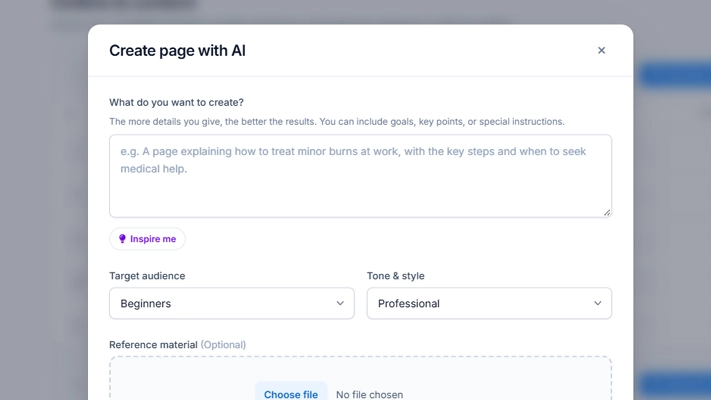
Wizlearn AI course content editor with audience and tone settings
Author quizzes

Create and refine questions

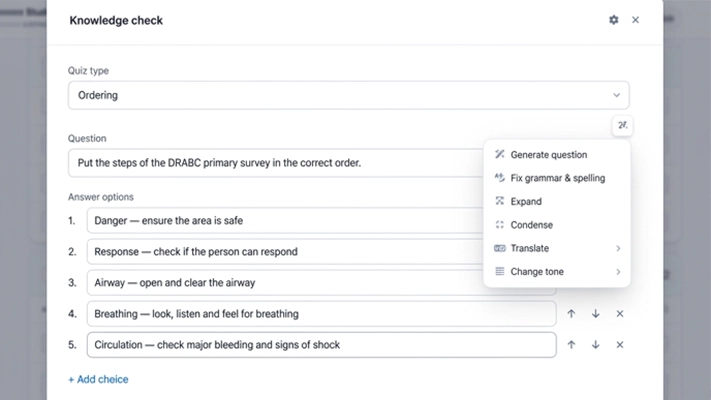
Generate quiz questions with AI, then adjust the wording and review answer feedback before the quiz goes live.

  • Generate questions with AI directly in the quiz editor
  • Fix grammar and spelling, expand, condense or change the tone of the wording Coming soon
  • Translate questions for learners who study in other languages Coming soon
Wizlearn quiz editor showing an ordering question with AI options to generate questions, fix grammar, expand, condense, translate and change tone
Create courses Coming soon

Build a course from your brief

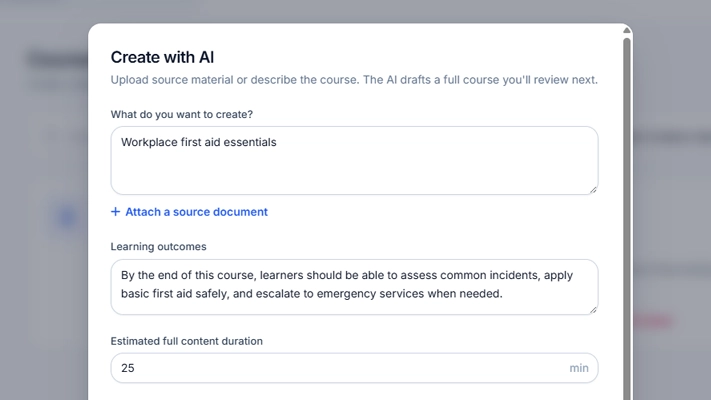
Set learning outcomes, attach source material and choose a course language to generate a structured first draft. Then refine the content for your audience.

  • Start from a short description of the course or an attached source document
  • Define the learning outcomes and the estimated content duration
  • Review and edit the generated draft before it reaches learners
Wizlearn AI course creation form with learning outcomes and source document
Generate images Coming soon

Make visuals for course content

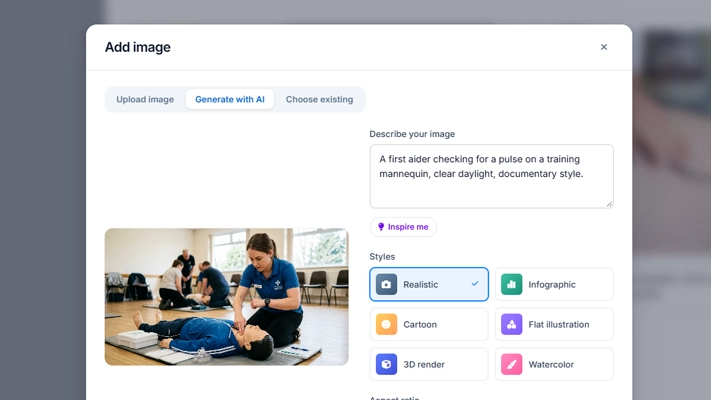
Describe the image you need and select a style in the course editor. Review the result before adding it to the lesson.

  • Choose a style: realistic, infographic, cartoon, flat illustration, 3D render or watercolour
  • Preview the generated image before adding it to the lesson
  • Upload your own image or reuse an existing one when that suits better
Wizlearn image generation prompt and style options in the course editor
Generate video Coming soon

Turn an idea into a video draft

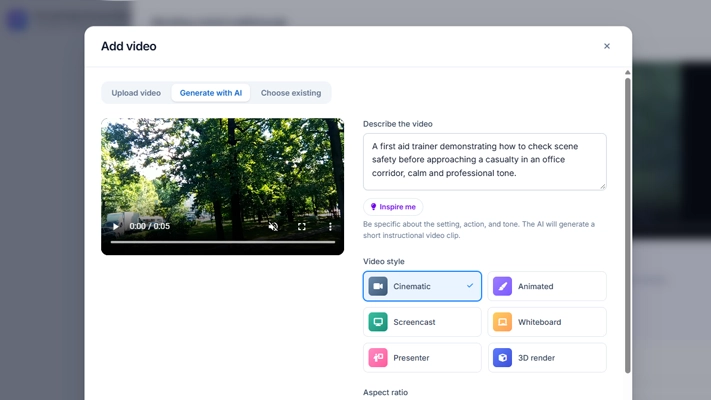
Describe the intended video, choose a style and aspect ratio, and work on the result as part of your course media.

  • Describe the setting, action and tone to generate a short instructional clip
  • Choose a style: cinematic, animated, screencast, whiteboard, presenter or 3D render
  • Set the aspect ratio to suit where the video will be shown
Wizlearn video generation panel with style and aspect ratio options
Support learners

Guidance in the flow of learning

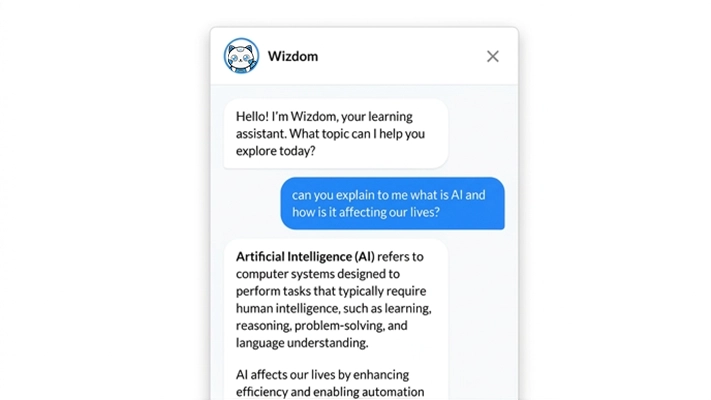
Give learners an AI assistant beside the course material, so help is available when questions come up.

Learner assistant

Meet Wizdom, the in-course assistant

An in-course AI assistant appears beside the learning material so learners can ask for guidance in context.

  • Learners ask questions in plain language without leaving the course
  • Answers help them explore a topic and find relevant information
  • Your organisation sets the boundaries for learner support
Wizlearn course viewer with AI assistant beside learner content
Human-led workflow

Start with expertise. Keep control.

A useful workflow is to define learning outcomes, generate a draft, review it with a subject expert, refine it and then publish. The organisation sets the boundaries for content and learner support.

Where AI fits

  • Course content drafting and refinement
  • Quiz question generation
  • In-course learner chatbot
  • Course creation from a brief Coming soon
  • Quiz rewriting and translation Coming soon
  • Image and video generation Coming soon

Other LMS and TMS features remain available as part of the core platform.

Frequently asked questions

Questions about Wizlearn AI

Is AI-generated content published automatically?

No. Course pages and questions generated with AI are drafts for your team to review. Subject experts can refine them in the editor before anything is published to learners.

Can we start from our own training material?

Yes. You can add optional reference material when drafting course pages, so drafts build on content your organisation already has. Generating a whole course from an attached source document is coming soon.

How is our data handled?

AI capabilities and tools are designed for deployment in line with applicable Singapore government security and data-handling requirements, with controls reviewed for each environment. Discuss your data and hosting requirements with the team.

Who controls what the learner assistant does?

Your organisation sets the boundaries for content and learner support. The Wizlearn team works through this setup with you during implementation.

Do we have to use AI to use Wizlearn?

No. The AI tools sit alongside the core LMS and TMS features, which remain available as part of the platform.

Let's build learning around your organisation.

See how Wizlearn's AI-assisted tools, LMS, TMS and local expertise can support your learning goals.

Request a demo